
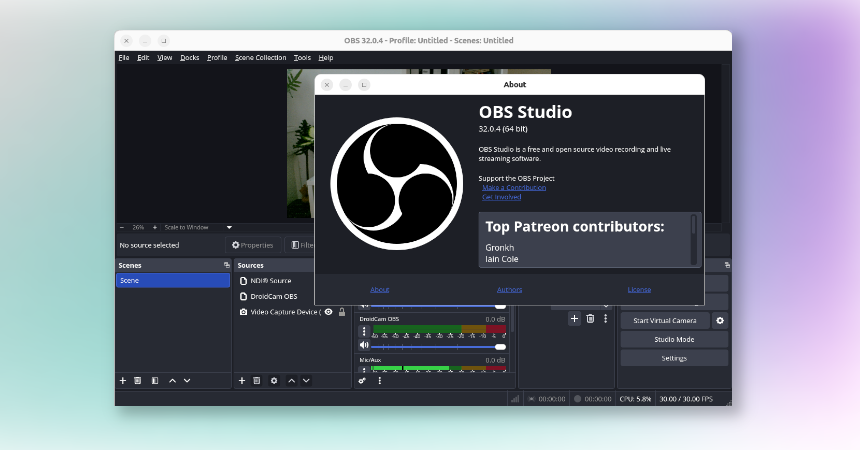
I love Ubuntu. I love tinkering. But sometimes you just want your tools to work, especially when you are recording a podcast or trying to get a reliable video setup going.
For a few days I tried all the usual routes to install OBS on Ubuntu. The standard .deb releases, different repos, extra packages, reinstalling, removing, reinstalling again. And every time I ended up in the same place:
- Source Record (for recording all sources) would not behave properly
- DistroAV (for NDI sources) was a pain to get stable
- DroidCam kept being “almost working”, until it didn’t
It was one of those classic Linux moments where you are technically making progress, but practically going nowhere.
The fix: Install OBS from Flathub
Then I tried the Flatpak version from Flathub and… everything just worked. No weird dependency issues. No plugin drama. No “this build expects a different version of that library”.
If you are on Ubuntu and you want OBS plus plugins without burning another evening, this is the path I would recommend.
Step 1: Install Flatpak
If you do not have Flatpak installed yet:
sudo apt update
sudo apt install flatpak
Step 2: Add Flathub
flatpak remote-add --if-not-exists flathub https://flathub.org/repo/flathub.flatpakrepo(Optional but often helpful: log out and back in, or reboot once.)
Step 3: Install OBS Studio
flatpak install flathub com.obsproject.StudioStep 4: Install Add-ons
You can find all OBS Flatpak Add-ons here (scroll down, and click on the Add-ons tab). Then just copy and paste the installation command for the Add-on you need, execute it to install the Add-ons and you’re good to go.
Step 5: Run OBS
flatpak run com.obsproject.Studio
Why Flatpak solved it for me
I am not claiming Flatpak is always better for everything, but in this case it was the difference between fighting my system and actually recording.
My best guess is that the Flatpak packaging isolates dependencies in a way that avoids the Ubuntu + .deb + plugin mismatch mess I kept running into. And with Flathub, the plugin experience felt boring in the best possible way.
If you are stuck on Ubuntu with OBS plugins like Source Record, DistroAV, or DroidCam not playing nice, try the Flathub Flatpak build before you waste more time.
Sometimes the most “Linux” solution is the one that lets you stop debugging Linux.

Leave a Reply